Are You a Mindfulness Professional or Coach Looking to Grow Your Practice?
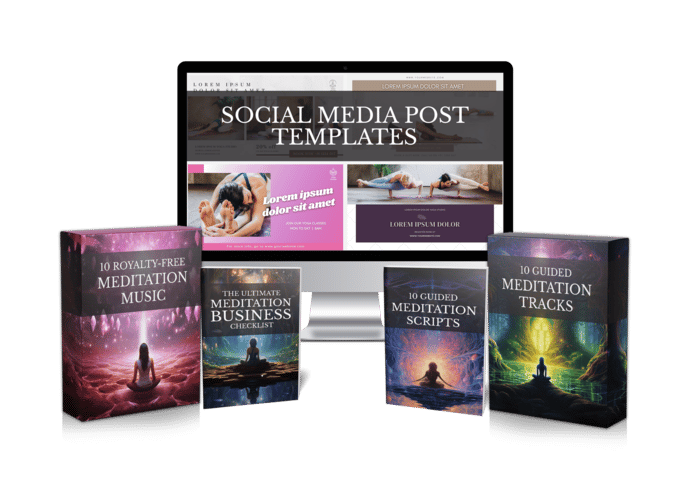
Share your best email address to receive the Meditation Mastery Kit — absolutely free. Inside, you’ll get done-for-you guided meditation scripts, royalty-free meditation tracks, and social media post templates to help you better serve your clients and expand your reach.

How to Make a Christmas Prayer Video: 6 Gentle Steps for Churches and Faith Coaches
Sunday, November 15, 2026

Every December, someone on your prayer team says it out loud: “We should put a Christmas prayer online this year.” Everyone agrees. Then the month fills up with rehearsals, food drives and family visits, and the idea quietly slips away. If you’ve ever wondered how to make a Christmas prayer video without a studio or a free weekend, this guide is for you.
It’s written for churches, prayer groups, ministry leaders and faith coaches who want to share a calm, reverent moment with their people this season. You don’t need a camera crew. You need a prayer, a voice, some gentle music and a simple plan.
Why Christmas prayer videos so often stall
The heart of the video is easy. You already know what you want to pray. The hard part is everything around it.
Recording at home means a barking dog, a furnace that kicks on mid-sentence and a voice that tightens the moment the red light appears. Then there’s editing: trimming breaths, fixing a stumble, lining the music up so it doesn’t drown the words. One three-minute prayer can swallow an entire evening.
Music is the other worry. Many familiar carol recordings are owned by someone, and a background track you found online may not be cleared for use on a church channel or a paid course. So the video sits half-finished in a folder until January.
How to make a Christmas prayer video in 6 gentle steps
Here’s a workflow that keeps the prayer at the center and takes the technical weight off your shoulders.
Step 1: Choose the prayer or reading.
Pick one clear focus: a prayer for peace, a blessing over families, a reading of the Nativity from Luke 2, or a quiet prayer for people who find the holidays hard. One theme per video works better than trying to cover the whole season at once.
Step 2: Check the Bible translation you quote.
The King James Version is in the public domain in the United States, though it is still under Crown rights in the UK. Most modern translations are copyrighted, and each publisher sets its own rules for quoting. Look at the copyright page of your translation before you build a video around a long passage.
Step 3: Write it for the ear, not the page.
Keep sentences short. Leave room for silence after each line so listeners can pray along. If writing isn’t your strength, an AI scriptwriter can give you a first draft to shape in your own words, and our guided meditation scripts can help with the calm, unhurried pacing that suits a Christmas prayer.
Step 4: Pick the voice.
You can read it yourself, ask a member of your team, or use a natural AI voice. If your congregation knows your voice, voice cloning lets the video sound like you without a single re-take.
Step 5: Add visuals and music.
Candlelight, a quiet chapel, snow on a window, an evergreen branch. Keep the picture slow and simple so it supports the words. Choose soft background music, or leave it out entirely for a voice-only prayer that feels more like sitting together in silence.
Step 6: Render, watch once and share.
Play the finished video from start to end before you post it. Listen for rushed lines or music that rises above the voice. Then share it on your channel, in your newsletter, on your website or in your group chat.
This is where Mindful Render saves the most time. You paste your Christmas prayer or scripture reading (or let the AI scriptwriter draft one), choose a natural AI voice or your cloned voice, pick calm visuals, and add background music or none at all. A few minutes later you have a finished prayer video instead of a timeline full of clips.
A quick checklist before you post
- Clear theme — one prayer, one focus, one message for the season.
- Translation checked — you know whether the passage you quote can be used freely.
- Gentle pacing — there is room to breathe between lines.
- Voice sits on top — the music never competes with the words.
- Rights in hand — you know you are allowed to use the voice, visuals and music.
- A simple invitation — the description tells viewers where to find your church or group.
That fifth point matters more than people expect. With Mindful Render, you get full commercial rights to what you create, and attribution is optional. That means the same prayer can go on a church YouTube channel, into a paid Advent course or onto a donation page without a licensing question hanging over it.
Christmas prayer video ideas for your church or group
Not sure where to start? Any of these makes a good first prayer video for Christmas, and together they can carry a small series through Advent and into the new year.
- A prayer for peace — for homes, cities and places of conflict around the world.
- A blessing over families — something parents can play before a holiday meal.
- A prayer for the lonely and grieving — gentle, voice-only and unhurried.
- A Nativity reading — Luke 2 read slowly, with long pauses between verses.
- A Christmas Eve candlelight prayer — short enough to play at the start of a service.
- A New Year’s prayer of hope — a quiet close to the season.
Short videos tend to work best here. Three to five minutes is plenty for most prayers, and it leaves people wanting to come back next week rather than drifting off halfway.
What a Christmas prayer video can look like in practice
Imagine a small prayer team at a neighborhood church. Let’s call the leader Grace. She wants one Christmas prayer video a week through December, but her team has no editor and very little free time.
On a Sunday afternoon, Grace writes four short prayers: one for peace, one for families, one for those who are grieving and a reading of the shepherds from Luke 2 in the King James Version. She pastes each one into Mindful Render, picks a warm voice, chooses candlelit and snowy visuals and adds soft music to three of them. The grief prayer she leaves voice-only.
By early evening the month is ready. Each Friday she posts the next one, and the team spends December praying with people instead of fighting with editing software. This is an illustrative example, not a real customer story, but it shows how the work fits into a single afternoon.
Share a little peace this Christmas
A Christmas prayer video doesn’t need to be polished like a film. It needs to be honest, calm and finished in time to reach the people who need it. Start with one prayer, keep it simple and let the tools carry the technical load.
You can try Mindful Render free and turn this year’s Christmas prayer into a finished video before the season gets busy.
Want to Turn This Script Into a Professional Meditation Audio or Video in Just Few Clicks?

Meet Mindful Render, the ultimate A.I. tool for wellness creators. Skip the expensive microphones and editing software—our platform lets you generate studio-quality, ready-to-publish meditation videos or tracks from any text with in minutes. Just paste your script and let Mindful Render bring it to life.
Looking for More Resources to Grow Your Mindfulness Practice or Support Your Clients?
Thanks for reading this article ,If you’re looking for more resources to support your mindfulness practice or enhance your coaching sessions, visit mindfulnesscontent.com. We offer a comprehensive 600+ done-for-you guided meditation script bundle, perfect for professionals who want ready-to-use content to help their clients find peace and clarity. Plus, as a special gift, you can download 10 free guided meditation scripts to get started. Head over to our site to discover more tools and content designed to help you on your journey to mindfulness and wellness.
Looking for a Simple Way to Feel More Calm, Centered, and Inspired?
If you're not using these resources for a coaching practice or business, no worries .The following free resources were created to help you find more peace, healing, and balance, wherever you are in life:
Download The Best Free Meditation App- Manifesty

Access hundreds of powerful guided meditations designed to help you relax, recharge, and manifest the life you desire — anytime, anywhere.
Get Your Free Free Aroma Therapy Starter Kit

Get a free Aromatherapy Guide, Essential Oil Planner, 100+ Recipes, DIY Projects, 25% off our favorite bundle and Everything you need to begin your wellness journey!

About the Author - Nick Tsai
Nick Tsai is a Life Coach, Certified Meditation Coach, and NLP Practitioner. He created MindfulnessContent.com to help coaches grow their practice and make mindfulness more accessible through done-for-you scripts and resources. His mission is to empower both professionals and individuals on their journey to greater clarity, calm, and impact.
Want To Grow Your Mediation Practice?
Click the button below and to receive the Meditation Mastery Kit absolutely free. Gain access to a treasure trove of free guided meditation scripts, tracks, and social media post templates
Resources
Want To Grow Your Mediation Practice?
Get Our Meditation Mastery Kit For Free
Click the button below and to receive the Meditation Mastery Kit absolutely free. Gain access to a treasure trove of free guided meditation scripts, tracks, and social media post templates