Are You a Mindfulness Professional or Coach Looking to Grow Your Practice?
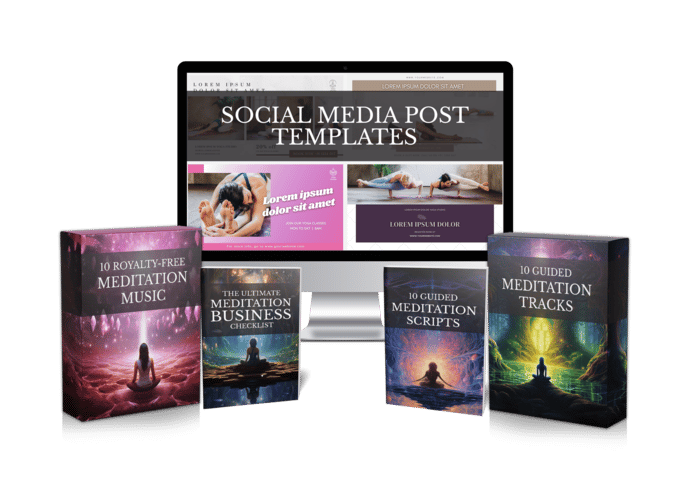
Share your best email address to receive the Meditation Mastery Kit — absolutely free. Inside, you’ll get done-for-you guided meditation scripts, royalty-free meditation tracks, and social media post templates to help you better serve your clients and expand your reach.

AI Video Generator for Wellness Creators: An Honest Comparison of 3 Tool Types
Tuesday, November 17, 2026
Most tools sold as an AI video generator for wellness creators were built for someone else. They want a smiling avatar to read sales copy, or they stitch busy stock clips together at a marketing pace. That’s fine for a product demo. It’s wrong for a body scan, a bedtime prayer or a two-minute breathing break.
If you teach meditation, coach clients or run a faceless calm channel, you need something gentler. This guide compares the three kinds of AI video tools you’ll run into, lists what actually matters for calm content, and walks through a simple script-to-video routine you can repeat every week.
Why Most AI Video Tools Feel Wrong for Calm Content
Picture a typical creator, let’s call her Maya. She teaches yoga, writes lovely short meditations, and wants to share one video a day. The writing part takes her twenty minutes. Everything after that eats her evening.
She records in a spare room and catches the neighbor’s dog on tape. She re-records because her voice wobbles. Then she hunts for music she’s sure she’s allowed to use, drags clips into an editor, and nudges the audio until it lines up. By the time she exports, she’s too tired to meditate herself.
So she tries a popular AI video app. It hands her a cheerful presenter and fast cuts. Her slow, spacious meditation suddenly feels like an ad. The tool solved the wrong problem.

The 3 Kinds of AI Video Generator You’ll Meet
Search for an AI video generator and you’ll mostly find three families of tools. Each is good at something; only one is shaped around meditation-style content.
1. Avatar or presenter tools.
These put a digital human on screen to read your script. They work well for training videos, explainers and promos. For guided practice they tend to pull attention outward, toward a face, when you want listeners to close their eyes.
2. General text-to-video tools.
Paste an article, get a sequence of stock clips with a voiceover. Useful for social snippets and news-style content. The pacing is usually brisk, and you often still need to sort out music and whether you can use the result commercially.
3. Purpose-built meditation tools.
These start from the kind of content you actually make: guided meditations, affirmations and prayers. Mindful Render sits here. It turns text into finished meditation, affirmation and prayer videos or audio in minutes, with calm AI voices, background visuals and background music, or narration on its own if you prefer silence underneath.
None of this makes the first two types bad. If you run a studio and need a quick promo for a retreat, an avatar tool might be exactly right. If you want a punchy tip for social media, a stock-clip tool can do the job. The trouble starts when you ask a tool built for speed and selling to hold a slow, quiet space.
A useful test: imagine your listener with their eyes closed. If the video still works when nobody is watching the screen, the tool understands your kind of content. If it depends on a talking face or rapid cuts to hold attention, it probably doesn’t.
What to Look For in an AI Video Generator for Wellness Creators
Before you sign up for anything, run it against this short checklist. If a tool misses more than one or two of these, it will probably cost you time instead of saving it.
- A calm, natural voice — narration that sounds unhurried, not like a sales pitch.
- Your own voice as an option — voice cloning lets you keep your personal touch without recording every session.
- Music you’re allowed to use — background tracks included, so you aren’t guessing about licenses.
- A no-music option — some practices, like breathwork or prayer, land better with voice alone.
- Quiet visuals — soft backgrounds that support the practice instead of competing with it.
- Clear commercial rights — you should be free to sell and share what you make.
- Help with the script — a built-in writer for the days the words won’t come.
That last point matters more than it sounds. On a heavy week, a starting draft is often the difference between posting and skipping. If you like writing your own, a library such as these guided meditation scripts also gives you ready material to adapt.
A Simple Workflow: From Script to Finished Video
Here’s the routine Maya could use with an AI video generator built for wellness work. It takes far less time than recording and editing by hand.
Step 1: Pick one feeling.
Decide what the listener should feel at the end: rested, steady, hopeful. One clear intention keeps the script short and focused.
Step 2: Write or generate the script.
Write it yourself, or let the AI scriptwriter draft it and then edit the lines until they sound like you. Read it out loud once; cut anything that trips your tongue.
Step 3: Choose the voice.
Pick a natural AI voice that matches the mood, or use a clone of your own voice so regular listeners still hear you.
Step 4: Set the scene.
Add a calm background visual and background music, or choose narration only. Keep it simple; the practice is the star.
Step 5: Generate and review.
In Mindful Render, this step takes minutes rather than an evening. Listen through once with fresh ears, then download your video or audio.
Step 6: Publish and repeat.
Post it, note what your audience responds to, and reuse the same settings next time so your channel keeps a consistent feel.
What Changes When the Tool Fits the Work
Go back to Maya. With a tool shaped around meditation content, her evening looks different. She writes or edits a script, chooses her cloned voice and a soft background, and has a finished video before dinner.
Because she owns full commercial rights to what she creates, she can post it on her channel, add it to a paid course or send it to clients without second-guessing the music license. Attribution is optional, so her videos look like hers.
Consistency gets easier too. When the voice, music and visual style stay the same from one video to the next, her channel starts to feel like a place people return to. She can batch a few scripts on Sunday and have the week ready, instead of scrambling each night.
And the biggest change isn’t technical. She has energy left for the thing that drew her to this work in the first place: practicing, teaching and connecting with the people she serves.
If you’ve been forcing a marketing video app to make calm content, try a tool built for it. You can try Mindful Render free and turn your next script into a finished meditation, affirmation or prayer video in minutes.
Want to Turn This Script Into a Professional Meditation Audio or Video in Just Few Clicks?

Meet Mindful Render, the ultimate A.I. tool for wellness creators. Skip the expensive microphones and editing software—our platform lets you generate studio-quality, ready-to-publish meditation videos or tracks from any text with in minutes. Just paste your script and let Mindful Render bring it to life.
Looking for More Resources to Grow Your Mindfulness Practice or Support Your Clients?
Thanks for reading this article ,If you’re looking for more resources to support your mindfulness practice or enhance your coaching sessions, visit mindfulnesscontent.com. We offer a comprehensive 600+ done-for-you guided meditation script bundle, perfect for professionals who want ready-to-use content to help their clients find peace and clarity. Plus, as a special gift, you can download 10 free guided meditation scripts to get started. Head over to our site to discover more tools and content designed to help you on your journey to mindfulness and wellness.
Looking for a Simple Way to Feel More Calm, Centered, and Inspired?
If you're not using these resources for a coaching practice or business, no worries .The following free resources were created to help you find more peace, healing, and balance, wherever you are in life:
Download The Best Free Meditation App- Manifesty

Access hundreds of powerful guided meditations designed to help you relax, recharge, and manifest the life you desire — anytime, anywhere.
Get Your Free Free Aroma Therapy Starter Kit

Get a free Aromatherapy Guide, Essential Oil Planner, 100+ Recipes, DIY Projects, 25% off our favorite bundle and Everything you need to begin your wellness journey!

About the Author - Nick Tsai
Nick Tsai is a Life Coach, Certified Meditation Coach, and NLP Practitioner. He created MindfulnessContent.com to help coaches grow their practice and make mindfulness more accessible through done-for-you scripts and resources. His mission is to empower both professionals and individuals on their journey to greater clarity, calm, and impact.
Want To Grow Your Mediation Practice?
Click the button below and to receive the Meditation Mastery Kit absolutely free. Gain access to a treasure trove of free guided meditation scripts, tracks, and social media post templates
Resources
Want To Grow Your Mediation Practice?
Get Our Meditation Mastery Kit For Free
Click the button below and to receive the Meditation Mastery Kit absolutely free. Gain access to a treasure trove of free guided meditation scripts, tracks, and social media post templates